What is WoeUSB?
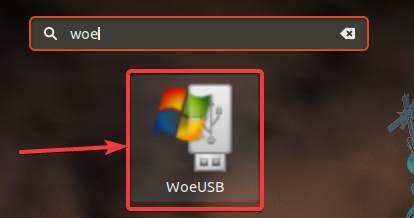
WoeUSB is a utility for Linux that can help you create bootable Windows USB sticks from Windows ISO images or from a CD and DVD containing bootable Windows. The below-given steps to install WoeUSB on Linux will be the same for Ubuntu 20/19.10/19.04/18.10/18.10/17/16, Linux Mint, Debian and other same stream Linux distros.
WoeUSB is now WoeUSB-ng and a way easy to install, just follow these two commands and you are done:
sudo apt install git p7zip-full python3-pip python3-wxgtk4.0

sudo pip3 install WoeUSB-ng
The installation will take some minutes, and after it is complete, go to ‘Apps’ and search for WoeUSB to open it.

Next, connect the USB drive that needs to be made bootable, to your computer, select the ISO image or the CD or DVD containing Windows, and click on ‘Refresh’ to make WoeUSB detect the USB storage.
After it is detected, select it, and click on ‘Install’ to start creating the bootable USB media.
I didn’t find an option to create a bootable Windows USB so that it can boot from UEFI. However, that isn’t going to be an issue for most users who want to install Windows.
So, that was all about, how you can install WoeUSB on Ubuntu or any other Debian-based distribution of Linux. Do you have any questions? Feel free to comment on the same below.
var aax_size=’300×250′;
var aax_pubname = ‘lakshthink-21’;
var aax_src=’302′;
http://c.amazon-adsystem.com/aax2/assoc.js
 Laksh Think